Dots and Boxes
Claim lines, complete boxes, score more than your opponent.
Pro game

Pencil and paper
Dots and Boxes
Claim lines, complete boxes, score more than your opponent.
This game could not load.
About Dots and Boxes
The pencil-and-paper classic, drawn in ink on a notebook page. Take turns drawing a line between two dots; draw the fourth side of a box and it is yours, filled with your colour and mark, and you draw again. Boxes taken one after another score more, and a long chain of them fills in a quick run, with Take all to draw the whole chain at once.
Play a friend on the same device, or the computer at one of three levels: Relaxed makes friendly mistakes, Classic never gives a box away while it has a safe line, and Sharp counts chains and plays for the endgame. Choose a board from 3 × 3 to 6 × 6 boxes, or try the daily challenge, the same board for everyone today. It plays with a mouse, a touch screen, a keyboard or a controller. Your best score, records and badges stay on this device; nothing is uploaded.
How to play
- Take turns drawing a line between two dots next to each other: click or tap it.
- Drawing the fourth side of a box takes that box for you, and you draw again.
- Watch out: drawing the third side of a box usually hands that box to your opponent, sometimes a whole chain of them.
- Boxes taken one after another in a turn score more. When you can take a chain, Take all draws it for you.
- When every box is taken, whoever has more boxes wins; equal scores are a draw.
- With a keyboard, the arrow keys move the pen between dots and Shift with an arrow draws the line that way. Press P or Escape to pause; Settings has the computer level, the board size and two players.
Controls
- Click or tap a line between two dots — draw it
- Arrow keys or WASD — move the pen; Shift and an arrow, or Space then an arrow — draw that way
- D-pad or left stick — move the pen; hold Ⓐ and a direction — draw
- Take all, T or Ⓨ — take every box you can in a row
- Hint, H or Ⓧ — show a good line to draw
- P, Escape or Start — pause
Frequently asked questions
Why did the computer let me complete a box?
On the Relaxed level it makes friendly mistakes. On the others, once every line left would hand away a box it has to give something, and it gives the least it can.
Can two people play on one device?
Yes. In Settings, This game, choose A friend on this device as the opponent, then take turns tapping lines on the same board.
What does Take all do?
When you can take a run of boxes, Take all draws those lines for you one after another. You can still draw them one by one, for example to leave the last two for your opponent on purpose.
What is the daily challenge?
A 5 × 5 board with its first lines already drawn, the same for everyone today, against the Classic computer. Your result and your streak stay on this device.
Related games
All Strategy games → Tower Defense Build brass towers beside the road and hold the town against eight waves of wind-up toys. Pro game
 Idle Factory Stamp parts, build machines and watch a toy factory grow, even while you are away. Pro game
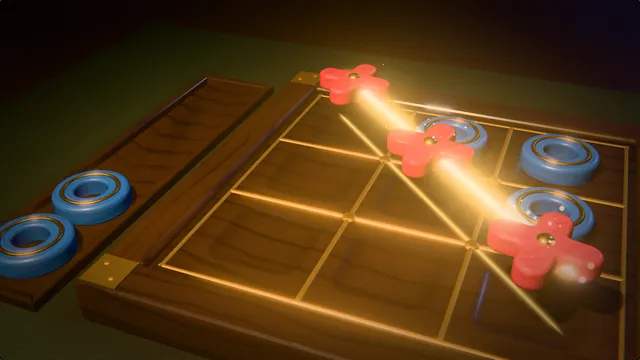 Tic-Tac-Toe Three in a row lights up the brass: play the computer, or pass the device to a friend. Pro game